

New Subscribe By Email Rss Form For Blogger
 In the last post we got a sneak preview of the New Blogger Design coming in 2011, Blogger had also promised lots more new features.And just a day later they have added an Email Rss Form to the Gadget Directory so you can easily provide the option for your readers to get your latest posts delivered to their inbox.By coincidence i also published a post this week about how Google connect their other services with Blogger and the Email Rss Form is connected with the Google owned Feedburner.
Email Rss has been provided by Feedburner for a long time and before you had the option to "Burn A Feed" for your blog, Activate Email Rss, Grab The Code For The Email Form and then paste it into a Html/Javascript gadget on your sidebar.Now this whole process has been cut down to 3 clicks without the need to leave Blogger.
"...The Follow by Email gadget provides blog authors a simple way for their readers to subscribe to the latest hot-off-the-press updates, which are delivered directly to the reader’s inbox. When new blog content is published, all subscribed readers will receive a daily email notification of the new published posts, which includes a copy of the new content as well as links back to the actual posts..."
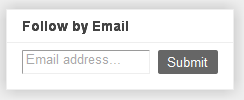
So lets first look at a screenshot and then how you add the Email Rss form to your blog.
Screenshot Of Email Rss Form
Add The New Email Rss Gadget To Your Blog
Step 1. In your Blogger Dashboard Click Design > Add A Gadget


Step 2. You will see the new option "Follow By Email" at the top of the list, click the plus.
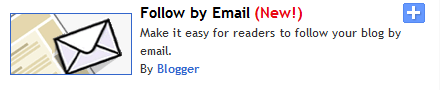
Step 3. You Will now be brought to a Page with options for your feed and the title of the gadget.If you already have a feedburner feed you can enter it were shown below, if you don't have a feed one will automatically generated for you.

Step 4. You can now save the gadget.
Options - I would highly recommend you take advantage of some of the other options available on feedburner.Remember once you add this gadget to your blog a Feedburner account is automatically created for you.You can log into this account with the same Email and Password as you log into Blogger - Log Into Feedburner.
That's your new Email Rss form, i may look at some Css options to Spice It Up a bit so keep an eye out for that.Check out some more Feedburner Tips and Blogger Gadgets on Spice Up Your Blog.
Drop Your Comments, Views And Questions Below. - Reviewer: Rangga Okem - ItemReviewed: New Subscribe By Email Rss Form For Blogger
 Tulisan ini dibuat Oleh Rangga Okem
on 12:36 AM. Dengan Category
Tips Blog
.
Sobat dapat mengikuti Update artikel terbaru dari kami melalui RSS 2.0.
Jangan ragu untuk meninggalkan Komentarnya
Tulisan ini dibuat Oleh Rangga Okem
on 12:36 AM. Dengan Category
Tips Blog
.
Sobat dapat mengikuti Update artikel terbaru dari kami melalui RSS 2.0.
Jangan ragu untuk meninggalkan Komentarnya @Idblogportal


